


How Seizmic works
From ledger to board pack, in your own Microsoft cloud
Seizmic is built on Microsoft Fabric. Your ERP stays exactly as it is. We load actuals automatically, model them into a standard finance structure, and every report, forecast and AI answer reads from that one governed model.
1 · Connect
Your source systems
Dynamics 365 Business Central, SYSPRO, Sage, SAP, NetSuite and other ERPs
Budget and volume templates
Read only; nothing written back
2 · Store
Microsoft Fabric warehouse
Bronze, Silver and Gold layers
Automated daily loads
Full load history for audit
3 · Model
The Seizmic finance model
Actuals, budgets and forecast versions
Chart of accounts and report layouts
Volume, price and mix by customer
4 · Use
Reports and answers
Power BI dashboards
Excel and Word board packs
Claude and Copilot via MCP
Wingman, built in
[Confirm: load frequency, hosting tenant and region before publishing.]
Inside the model
A finance data model that already knows how FP&A works
Every Seizmic client gets the same proven structure. We map your accounts and reports into it, so you get a mature model on day one instead of building one from scratch.
Actuals
General ledger balances by period, entity, cost center and account, loaded from your ERP and reconciled to the trial balance.
Budgets and forecasts
Every budget and forecast version stored side by side, with journals and adjustments kept separate from the ledger so nothing is overwritten.
Chart of accounts
Your accounts mapped to a standard hierarchy, then to the line structure of each report you need: income statement, manufacturing, admin, balance sheet.
Volume, price and mix
Units, price per unit and product mix by customer and item, so revenue and material cost budgets come from real drivers.
Customer allocations
Shared costs allocated to customers by agreed rates, giving you a full income statement per customer, not just revenue.
Audit trail
Each load is time-stamped and every change to the model is backed up first, so you can always show where a number came from.
Outputs
Use the numbers where your team already works
The model is the single source. How people consume it is up to them.
Power BI dashboards
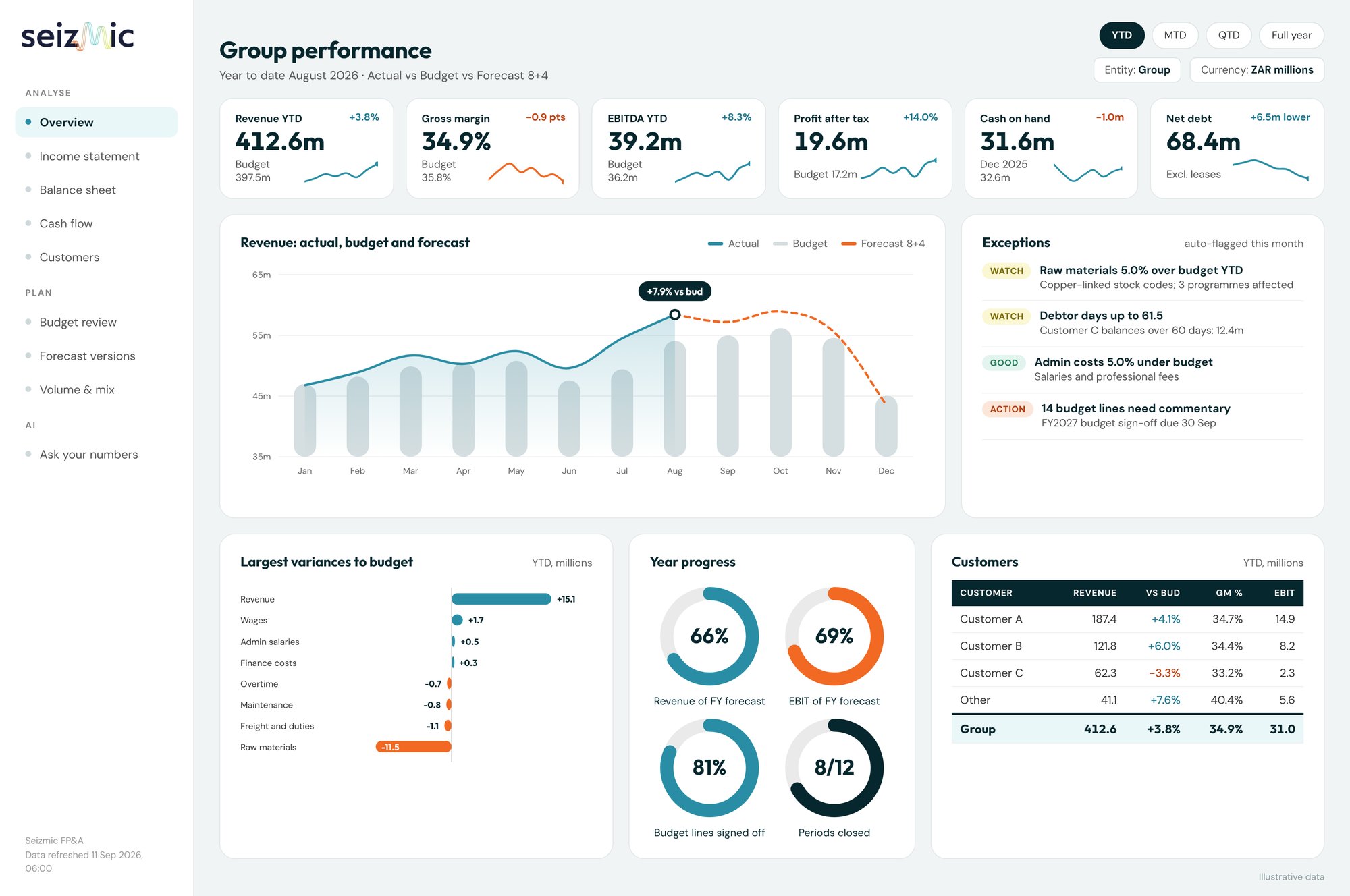
Live, filterable views for management.
Excel packs
Detailed statements with drill-down to GL.
Word board reports
Summary and commentary, on your brand.
Claude and Copilot
Ask your AI assistant, via the MCP connector.
Implementation
What happens in the first 8 weeks
A fixed-scope pilot with a clear finish line: your month-end pack and budget vs actual, signed off by your finance team against your own numbers.
Weeks 1 to 2
Discover and connect
Map your chart of accounts and report layouts. Connect your ERP.
Weeks 3 to 4
Build the model
Load history, reconcile to your trial balance, configure report templates.
Weeks 5 to 6
First reports
Month-end pack and budget vs actual, signed off by your finance team.
Weeks 7 to 8
Plan and go live
Budget and forecast cycle, Wingman enabled, training and handover.
What we need from you
Read access to your ERP (we set up the connection)
Your chart of accounts and current report layouts
A finance lead for a weekly one hour check-in
Your budget templates, if you use them
What you get at go-live
Daily refreshed finance model on Microsoft Fabric
Month-end pack in Power BI, Excel and Word
Budget and forecast versions loaded
Wingman enabled and your team trained
See Seizmic on finance data like yours
A 30 minute demo with someone who has built FP&A models, not a sales script.